question
-
JOEY DAWEJKO
- Heavyweight

- Posts: 94
- Joined: 05 Nov 2008, 17:19
question
how do you put pictures up?? any info, thank you!!
Re: question
You only get the answer if you promise to stay amateur and not turn proJOEY DAWEJKO wrote:how do you put pictures up?? any info, thank you!!


-
JOEY DAWEJKO
- Heavyweight
- Posts: 94
- Joined: 05 Nov 2008, 17:19
Re: question
JMac wrote:You only get the answer if you promise to stay amateur and not turn proJOEY DAWEJKO wrote:how do you put pictures up?? any info, thank you!!
sorry but its a done deal!! i guess i wont figure it out? haha
Re: question
Ok, so when you're making a post, you can see the 'Img' box.
Click on that.
It will add some markup tags (the stuff in brackets)
You'll see: " "
"
That means 'start the image' and 'end the image'
Put the URL of the picture inside that
For example:
gives you...
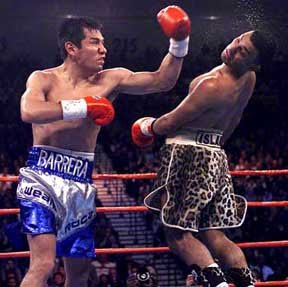
And isn't it fun to watch MAB smack around Hamed? :-)
Let me know if you have more questions.
Click on that.
It will add some markup tags (the stuff in brackets)
You'll see: "
That means 'start the image' and 'end the image'
Put the URL of the picture inside that
For example:
Code: Select all
[img]http://4.bp.blogspot.com/_RVLDphzzTkE/SW-tCb8xSAI/AAAAAAAAAJ4/oQD-R9-JTF0/s400/barrera-vs-hamed.jpg[/img]
And isn't it fun to watch MAB smack around Hamed? :-)
Let me know if you have more questions.
-
kidneypunch
- Heavyweight
- Posts: 60
- Joined: 11 Apr 2009, 01:54
Re: question
ouch my back LOLSlythex wrote:Ok, so when you're making a post, you can see the 'Img' box.
Click on that.
It will add some markup tags (the stuff in brackets)
You'll see: "
That means 'start the image' and 'end the image'
Put the URL of the picture inside that
For example:gives you...Code: Select all
[img]http://4.bp.blogspot.com/_RVLDphzzTkE/SW-tCb8xSAI/AAAAAAAAAJ4/oQD-R9-JTF0/s400/barrera-vs-hamed.jpg[/img]
And isn't it fun to watch MAB smack around Hamed? :-)
Let me know if you have more questions.